
Webhooks
Connect your agents to external services via HTTP: outbound webhooks your agents call, and inbound endpoints that trigger an agent.
Objective
Connect your agents to external services over HTTP. The Webhooks module has two tabs:
- Outbound — actions your agents call (POST to a CRM, look up an order, create a ticket).
- Inbound — endpoints that external systems call to trigger an agent (from n8n, Make, Zapier, or any REST API).
Access
Sidebar -> Webhooks Route: /app/{tenant}/webhooks
The page header includes a Docs chip that links back to this documentation.
Roles
- owner, admin only.
- The
agentrole sees the sidebar item but gets an "Access denied" banner: only owners and admins can manage webhooks.
Prerequisites
- Outbound webhooks count against your plan's webhook limit; inbound endpoints have a separate plan limit that counts only active endpoints (pausing one frees a slot). Hitting either limit opens an upgrade dialog.
- Inbound webhooks need at least one agent — the create button is disabled until you have one.
Outbound webhooks
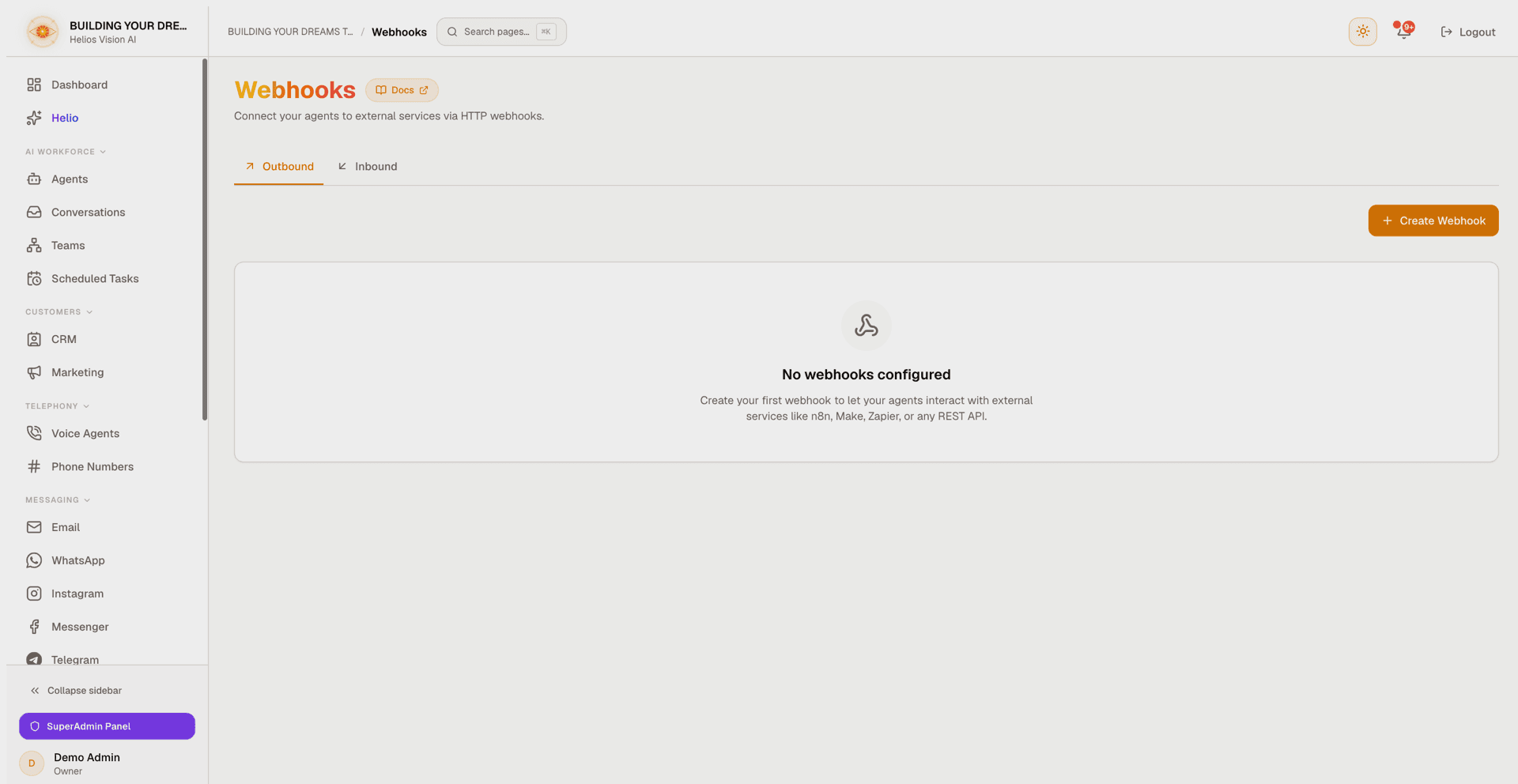
Outbound webhooks are actions an agent can call during a conversation. Click Create Webhook.
Endpoint
| Field | Notes |
|---|---|
| Name | Shown to the agent as the action name. Required. |
| Description | Tells the agent when and why to use it. Required — a short, meaningful sentence, not a placeholder: without it the agent either never calls the webhook or calls it at the wrong times. |
| Method | GET, POST, PUT, PATCH, DELETE, or HEAD (default POST). |
| API URL | The endpoint. May contain {variables} the agent fills in. Must be a public http(s) URL: private or internal addresses and URLs with embedded credentials are rejected. |
Authentication
- None
- Bearer Token
- Basic Auth (user/password)
- API Key (value + parameter name, default X-API-Key, sent as a header or query)
- OAuth 2.0 (client credentials): token URL, client id, client secret, scope, and where credentials go (body or basic)
Credentials are encrypted. When you edit a webhook, leave a secret field blank to keep the current value (OAuth 2.0 still requires the token URL and client id).
Request options
- Sign outbound requests: Helios adds an
X-Helios-Signatureheader (sha256=+ hex, an HMAC-SHA256 of the request body) and anX-Helios-Timestampheader (Unix seconds) to every request, so your endpoint can verify it truly came from Helios. Click Generate to create the signing secret and copy it — it is shown once. When editing, leave it blank to keep the stored secret. - Timeout: a slider from 1 to 30 seconds (default 15).
- Headers and Query Parameters: key/value rows.
- Parameters: a visual builder (Name / Type: string, number, integer, boolean / Description / Required), toggleable to a raw JSON editor. These are the values the agent supplies at call time.
- Body Template: key/value rows or raw JSON, with a body encoding selector (JSON or Form URL-encoded).
- Response handling: a Response field (dot path, e.g. data.items) to hand the agent just that part of the JSON response, and Extra success codes — status codes besides 2xx to treat as success, so for example a 404 reads as an empty result instead of an error.
The {variable} placeholders can appear in the URL, headers, query params, and body; the agent fills them in when it calls the webhook.
Test
- Inside the modal, fill sample values for each {placeholder} and click Send Test — you see the HTTP status, duration, and response body. Required parameters are validated exactly as in production, so a missing sample value fails the test instead of silently passing.
- Each saved webhook card has a Test button (disabled with a tooltip when the URL still contains {variables}). It tests the webhook as saved: the stored, encrypted credentials are used on the server and are never sent to your browser. The result panel shows the status, duration, and response body.
Inbound webhooks
Inbound webhooks let an external system trigger an agent by POSTing to a dedicated endpoint at {origin}/api/inbound/{token}. Switch to the Inbound tab — it shows how many active endpoints you have against your plan limit — and click New inbound webhook.
| Field | Notes |
|---|---|
| What should the agent do with this event? | Natural-language instruction (up to 1,500 characters). The incoming event data is passed to the agent as reference data, clearly separate from this instruction. |
| Webhook name | A label for the endpoint. |
| Agent | The agent that runs (inactive agents are marked). |
| Authentication | HMAC signature, Bearer token, or None (not recommended). |
| Deliver via | No delivery (tools only), WhatsApp, or Email — WhatsApp and Email are offered only if the chosen agent can deliver on them; the form links you to the right place to connect a number or enable the send-email tool. |
| Send from | Shown when the agent has more than one WhatsApp number connected. |
| Deliver to | The WhatsApp number or email address to deliver to, when a delivery channel is chosen. |
After you create or regenerate an endpoint, a reveal-once panel shows the endpoint URL, the plaintext secret (only once), and a ready-to-run curl example for your chosen auth type. Copy the secret now — it is not shown again.
Authenticating your requests
- HMAC signature (most secure): sign the raw request body with the secret using HMAC-SHA256 and send the result as
X-Signature: sha256=+ hex. - Bearer token: send the secret as
Authorization: Bearer .... - Optionally include an
X-Timestampheader (Unix seconds): when present, requests outside a 5-minute window are rejected, which protects against replayed requests. - None: anyone who has the URL can trigger the agent — only for quick testing.
Endpoint behavior
- POST only, JSON body up to 64 KB.
- Rate limited: 30 requests per minute per endpoint, plus a coarser per-IP guard.
- The endpoint acknowledges immediately; the agent run and delivery happen in the background, so your sender's timeout never races the agent.
- Paused endpoints reject requests (the attempt is still logged as Inactive).
Managing endpoints
Each inbound endpoint card has an Active/Paused switch, Regenerate secret (shown when authentication is not None), Edit, and Delete (with confirmation), a last-triggered indicator, the endpoint URL with a Copy button, and an expandable Recent events log — the last requests with status (Success, Auth failed, Rate limited, Inactive, Error), time, source IP, and a payload excerpt.
The plan limit counts active endpoints: pausing one frees a slot, and re-activating re-checks the limit.
Good practices
- Write the Description for the agent, not for yourself: say when and why to call the webhook. It is the only thing that teaches the agent to use it.
- Use the Test flow before relying on a webhook in production.
- Prefer HMAC or Bearer auth for inbound endpoints; avoid None.
- Keep secrets safe: they are shown only once. Regenerate if a secret leaks.
- Use Extra success codes for APIs where a non-2xx status is a normal answer (e.g. 404 = not found, not a failure).
Common errors
- Access denied: your role is
agent— only owners and admins can manage webhooks. - Cannot save the webhook: Name, Description, and a valid URL are required. The description must be a real sentence (at least 10 characters), not a placeholder.
- URL rejected: only public http(s) URLs are allowed — private/internal addresses, bare IP tricks, and URLs with embedded credentials are blocked. Put credentials in the Authentication section instead.
- Test button disabled on the card: the URL still contains {variables}. Open the webhook with Edit and test from inside the modal with sample values.
- Plan limit reached: you are at your plan's webhook or inbound-endpoint limit. Delete (or, for inbound, pause) one, or upgrade your plan.
- Inbound events show Auth failed: the signature or token does not match the endpoint's secret. Re-check how you sign the body; if the secret is lost, use Regenerate secret and update your sender.
- Inbound events show Rate limited: your sender exceeded 30 requests per minute on that endpoint. Add a retry with backoff.
- Inbound events show Inactive: the endpoint is paused. Flip the switch back to Active.
- WhatsApp or Email missing in Deliver via: the chosen agent has no WhatsApp number connected, or its send-email tool is off. Use the in-form link to configure it, or pick another agent or "No delivery (tools only)".