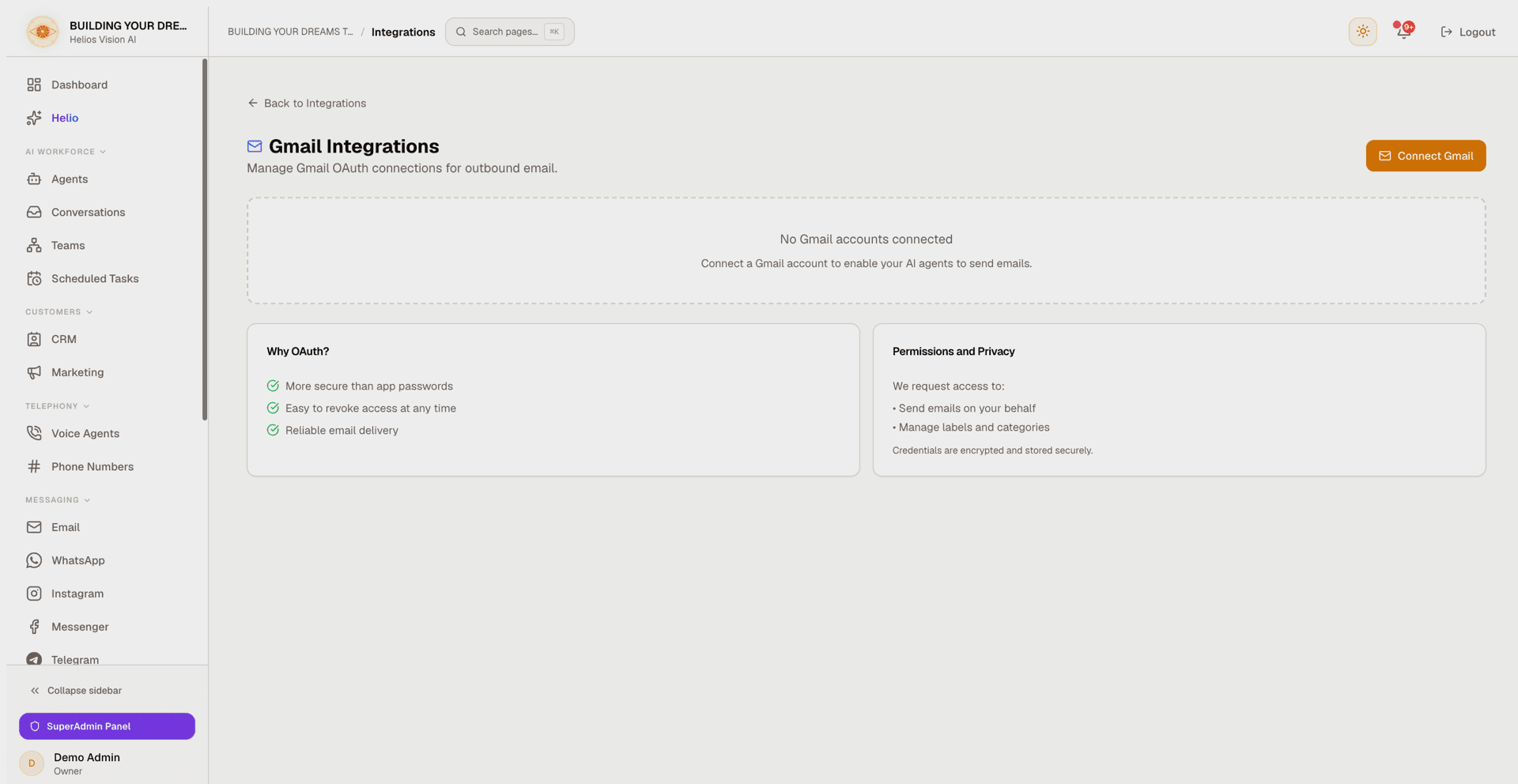
Gmail Integrations
Connect Gmail accounts with Google OAuth so your AI agents can send email from your own address.
Objective
Connect one or more Gmail accounts through Google OAuth so your AI agents can send email from your own address. This page lists connected accounts, lets you connect more, and disconnect the ones you no longer use.
Reading incoming mail is handled separately (see Gmail Inbox below); this page manages the outbound send connection.
Access
Sidebar -> Integrations -> Gmail (Email) card -> Connect / Manage.
Route: /app/{tenant}/integrations/gmail
The legacy path /app/{tenant}/settings/email redirects here.
Roles
- owner, admin, agent can open the Integrations section and this page.
- Connecting and disconnecting accounts requires owner or admin — the server rejects the OAuth flow and the disconnect action for any other role.
Prerequisites
- A verified account email. If your account is unverified, the connect button opens a verification modal instead.
- At least one AI agent with the Email channel enabled, so it can be picked in Assign Agent. Without one, the connect dialog shows a No agents available warning with a Go to Agents button.
- Available email-account quota on your plan. At the limit, a plan-limit dialog with upgrade options appears instead of a new connection.
Connect a Gmail account
- Open Integrations -> Gmail and press Connect Gmail (or Connect Another Account if one is already connected).
- In the Connect Gmail Account dialog, choose the agent in Assign Agent. With exactly one eligible agent, the dialog is skipped and you go straight to Google.
- Press Continue and complete Google's consent screen.
- On success you return to this page with the account listed.
Fields:
| Field | Mandatory | Format | Example | Note |
|---|---|---|---|---|
| Assign Agent | Yes | selection | Support Agent | Lists agents with the Email channel enabled. The credential is stored for the whole tenant; the agent is linked so it can send from this address. |
Permissions requested during consent:
| Permission | Purpose |
|---|---|
| Send emails on your behalf | Lets agents send outbound email from the account. |
| Manage labels and categories | Applies labels for sync and organization. |
Credentials are encrypted and stored securely.
Connected accounts
Each connected account is shown as a card with these controls:
| Control | Behavior |
|---|---|
| Status badge | Active or Disconnected, based on the stored connection. Access tokens are refreshed automatically, so an active account keeps working without manual action. |
| Go to Inbox | Opens the unified email Inbox. |
| Disconnect (trash icon) | Opens a confirmation dialog. Yes, Disconnect stops using the account right away and unlinks it from your agents. |
Disconnecting removes the connection on the Helios side immediately. The permission you granted may remain at Google: access is only revoked there when no other connection on the same address (for example Google Calendar or Gmail Inbox) still depends on it. You can always remove it yourself from your Google account permissions page.
Card status on the Integrations overview
The Gmail (Email) card on the Integrations overview reflects the health of your accounts:
- Reconnect required — accounts connected before the labels permission was added need to be reconnected once ("Gmail needs the new permission to sync labels and sent mail."). With a single affected account the card offers Reconnect Gmail, which re-runs the consent flow directly; with several, Review accounts opens the email account settings in the Inbox.
- A connected mailbox stopped receiving email — an account is still authenticated but mail is not being delivered. The card lists the affected addresses, and Fix in Email opens the email account settings in the Inbox so you can reconnect them.
- With at least one account connected, the card shows Manage (opens this page) and Go to Inbox.
Gmail Inbox (separate integration)
Reading incoming email uses a separate Gmail Inbox integration that requires Google approval and is being rolled out gradually. Once it is enabled for your workspace, a Gmail Inbox card appears on the Integrations overview with a Connect Inbox button (and Go to Inbox / Reconnect once connected). If you need inbound Gmail reading and do not see the card, contact support.
Outlook does not need this approval: connecting an Outlook account covers sending and receiving.
Good practices
- Reconnect promptly when the card shows Reconnect required, so labels and sent mail stay in sync.
- Prefer OAuth over app passwords: it is more secure and access can be revoked at any time from your Google Account.
- Disconnect accounts you no longer use, and remove the app's permission from your Google account permissions page if no other connection (Calendar, Gmail Inbox) still uses it.
Common errors
- Cancelling the Google consent screen returns you to this page without connecting.
- Plan limit reached: the plan-limit dialog appears — either when you press the connect button, or right after returning from Google if the limit was hit during the flow.
- Unverified account email: the connect button opens a verification modal until you verify it.
- Connection completes without a long-lived token: it may expire in about an hour and a notification is created. Disconnect and reconnect the account to restore access.
- Connect or disconnect rejected: only owners and admins can perform these actions.
Screenshot